
Category by industry
Best Shopify Custom Products Apps for Jewelry and Accessories Brands
A jewelry or accessories store that sells personalised pieces has a problem the standard Shopify product page does not solve.
By Martin Lovfjall, Editor, EcomAppReviews · Published · Updated · 2,288 words · 10 min read
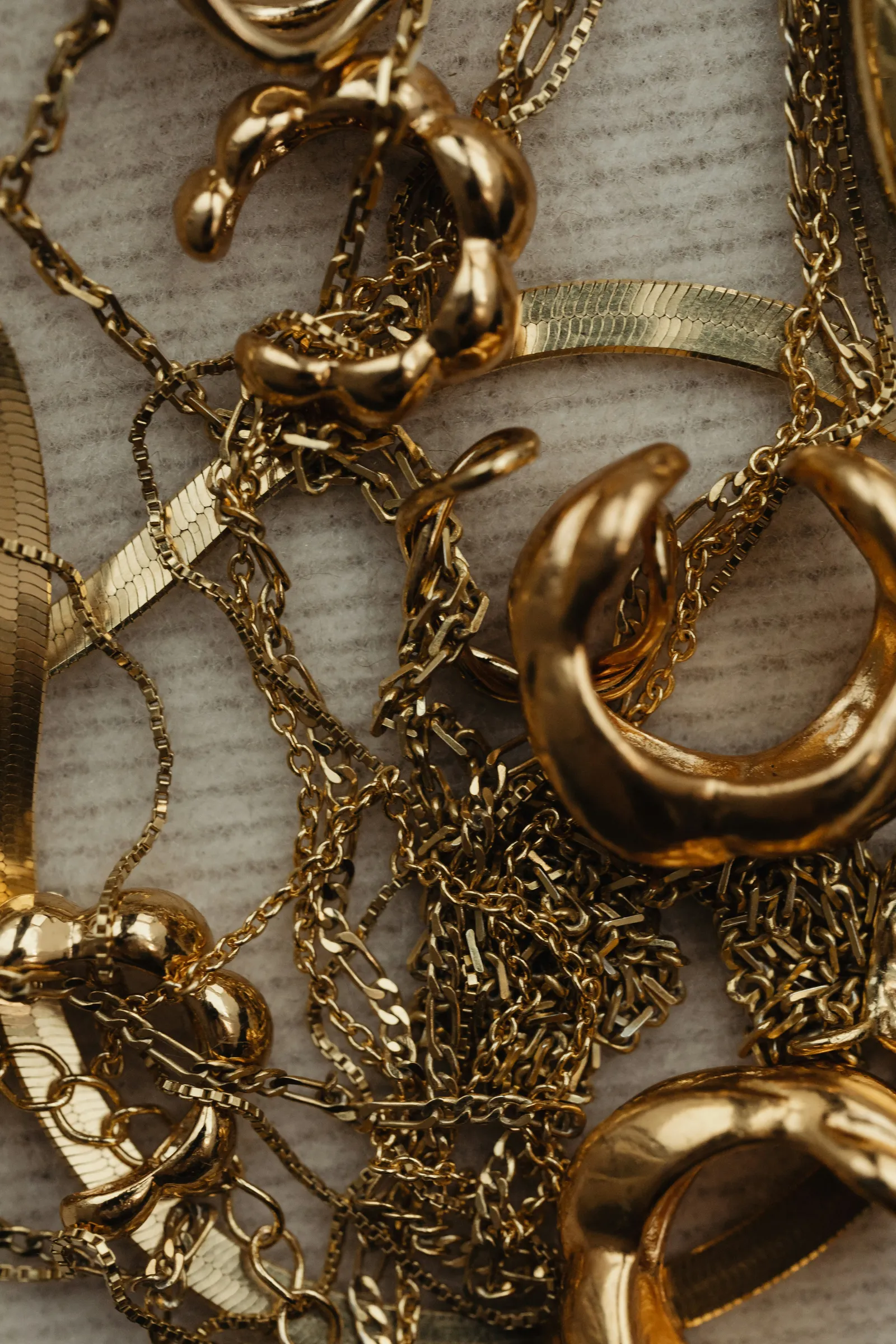
A jewelry or accessories store that sells personalised pieces has a problem the standard Shopify product page does not solve. A pendant needs initials, a signet ring needs a font and a ring size, a watch strap needs a length and a hardware finish, and a bag needs a monogram colour. Shopify's native variants cap out quickly, so most of these brands add a custom products app to collect the choices on the product page and carry them through to the order.
In this kind of store the app is accountable for three things: capturing exactly what the buyer asked for, showing it back clearly before they pay, and passing it to whoever engraves or assembles the piece without errors. A wrong letter on a high-priced item is a refund, a remake and often a lost customer. This guide covers what to look for when choosing among the best Shopify custom products apps for jewelry and accessories, and where the trade-offs sit.
The ranked table on this page orders the Custom products - Other category by real merchant reviews with a public formula. It lists the top 10 of 249 apps in the category, drawn from 18,742 reviews counted. The sections below explain how to read that table for a jewelry or accessories brand.
What jewelry and accessories brands need from a custom products app
Engraving and text fields that match your production process
Engraving is the core personalisation in this industry, so the text input is the feature that matters most. Check that you can set a character limit per field, restrict the allowed characters, and offer a font choice. A limit that matches what your engraver can physically fit prevents the most common order problem: a customer typing a long message that cannot be produced.
Also check whether the app can show a live preview of the text. Buyers of gifts want to see the result before paying, and a preview cuts down on questions and mistakes about spelling and placement.
Option logic for rings, chains and straps
Jewelry options depend on each other. A ring size field should appear only for rings, a chain length only for necklaces, and an engraving field only for pieces that can be engraved. Look for conditional logic that shows or hides fields based on earlier choices. Without it, product pages grow long and confusing, and buyers pick combinations you cannot make.
Option sets that can be assigned to collections or tags save time if you sell many pieces with the same choices. If you manage dozens of near-identical products, bulk assignment matters more than any single feature.
Price changes for options and materials
Choosing gold over silver, adding a gemstone or paying for engraving usually changes the price. The app should add a cost to the price for each option and show the total before checkout. Check that the price adjustment carries through to the cart and the order, and that it works with the markets and currencies you sell in through Shopify Markets.
Be careful with very large option sets. Apps that create many variants in the background can run into Shopify's variant limits, while apps that use line item properties avoid that but may be harder to report on. Ask which method the app uses.
Swatches and images that show the real product
Buyers choose metal, stone colour and strap colour visually. Swatches that change the product image make a difference here, especially for bags and eyewear where colour is the main decision. Some apps in the ranked table focus on swatches and variant images rather than free-text personalisation, and that is a different job from engraving. Decide which job you need first. The Image gallery category covers the photography side.
Clean order data for the workshop
The choices a customer makes have to reach your workshop in a readable form. Check how the options appear in the Shopify admin order, in packing slips and in any export. If you use Shopify Flow or send order data to a fulfilment partner, confirm the custom fields are included. Also check file upload support if customers send logos or handwriting for engraving.
Speed and compatibility with your theme and builder
Product pages for jewelry are image heavy, so an app that adds slow scripts hurts. Look for apps that use theme app extensions rather than injected code, and check the Built for Shopify badge listed in the ranked table. The integrations named most often across the category include GemPages and PageFly (five apps each), Klaviyo and ChatGPT (four apps each), and Translate & Adapt (three apps). If you build pages with a page builder or sell in several languages, check those pairings.
How the ranked apps compare
The apps below are shown in the order of the ranked table on this page. The table is the place to check the current order, since it changes as reviews arrive. Figures are those the table lists. All ten apps are in the Leader tier, so differences are mostly about price, trial length, age and focus.
- Globo Product Options, Variant: 4.9 from 5,181 reviews, listed from $4.95/month with a free plan and a 14-day trial. It carries the Built for Shopify badge and launched in 2020. It has the largest review base in the top 10, which gives more evidence about how it behaves across many store types.
- Easify Custom Product Options: 4.9 from 3,170 reviews, listed from $9.99/month with a free plan and a 14-day trial. It is Built for Shopify and launched in 2023.
- Aris Product Options, Variants: 4.9 from 1,679 reviews, listed from $12/month with a free plan and a 14-day trial. It does not carry the Built for Shopify badge and launched in 2021.
- PC - Custom Product Options: 4.7 from 1,180 reviews, listed from $8.90/month with a free plan and a 14-day trial. It launched in 2012, which makes it the oldest in the top 10, and it is Built for Shopify. It also shows the most recent review activity among the ten, with 9 reviews in the last 180 days.
- Zepto Product Personalizer: 4.9 from 1,433 reviews, listed from $9.99/month with no free plan and a 15-day trial. It is Built for Shopify and launched in 2016. The name points to personalisation, which fits engraving and monogram use.
- Qikify Custom Product Options: 4.9 from 933 reviews, listed from $19.99/month with a free plan and a 7-day trial. It is Built for Shopify and launched in 2022. It has the highest starting price in the top 10.
Further down the top 10, OP Color Swatch Variant Images is listed at 5.0 from 802 reviews, from $11.90/month, with a free plan and a 30-day trial. Its name points to swatches and variant images rather than free-text fields, which suits colour-led accessories. Ymq Product Options, Variants is also listed at 5.0, from 424 reviews.
Read the review counts with care. Most of these apps show only a handful of reviews in the last 180 days, so the ratings reflect a long history rather than recent activity. A newer app with a high rating has had less time to be tested against edge cases than one with thousands of reviews.
Pricing: what the listed plans look like
Across the 249 apps in the category, the median starting price is $9.99 and 59% list a free plan. The price bands show where most apps sit: 42 are free, 93 start under $10, 78 start between $10 and $29, 25 between $30 and $99, 8 between $100 and $299, and 3 at $300 and up. No app in the category leaves its starting price unstated.
The top 10 sit in a narrow band. Starting prices run from $4.95/month to $19.99/month, and nine of the ten list a free plan. Zepto Product Personalizer is the one without a free plan. These are starting prices, so they say little about what you will pay once your catalogue grows.
What tends to move a jewelry or accessories store up a plan is usually one of the following: the number of products that use options, the number of option sets, conditional logic, file uploads, live preview, price add-ons and support for several languages or markets. Stores with a large catalogue of personalised pieces hit those limits faster than a store with a few engravable bestsellers. Test the exact features you need on the plan you intend to buy, not on the free tier alone.
The free plan is a reasonable way to test one product, but check which features are held back. Engraving preview and file upload are often on paid plans. The trial lengths listed in the ranked table run from 7 to 30 days, and a gift season can fall inside or outside that window, so time your trial before a busy period, not during it.
Questions to ask before installing
- Does it use variants or line item properties? This decides whether you run into Shopify's variant limits on products with many metals, sizes and stones.
- Can I limit characters and fonts per field? Your engraver can only produce so much, and limits stop impossible orders before they are placed.
- Is there a live preview of the engraving? Gift buyers want to see the result, and a preview reduces spelling disputes.
- Do option prices flow through to the cart and the order? A mismatch between the product page and the checkout price erodes trust on high-value items.
- How do the choices appear on the order and packing slip? Your workshop needs clean, readable instructions with no missing fields.
- Does it work with my theme, page builder and languages? Compatibility with GemPages, PageFly or Translate & Adapt matters if you rely on them.
- Does it support Checkout Extensibility and Shopify Markets? Cross-border gift buyers and a changing checkout make this a long-term concern.
- What happens to my option data if I uninstall? Orders already placed need to keep their engraving details readable.
Where this fits in the rest of the stack
A custom products app handles the choices on the product page, but personalised jewelry sells through a wider set of tools. The full list for this industry is on the jewelry and accessories stack page. Gifting and high unit prices shape most of it.
Three related categories are worth reading alongside this one. Gift wrap and messages covers the note and packaging that often go with an engraved piece. Fraud matters because high unit prices attract stolen cards. Pay later helps buyers afford higher-priced pieces. For options that are only sizes and colours, the Product variants category may be enough, and the Custom products - Other hub lists the whole category.
Common mistakes
- Letting customers type anything. Open text fields produce engravings you cannot make. Fix it by setting character limits, allowed characters and a font list that match your workshop.
- Skipping a preview. Without one, spelling errors surface after the piece is made. Fix it by choosing an app that shows the text on the product, or by adding a confirmation step.
- Making every option a variant. This can hit Shopify's variant limits and slow down the catalogue. Fix it by using variants only for the choices that change stock, and options fields for the rest.
- Not testing the order in the admin. Many stores check the product page but not the packing slip. Fix it by placing a test order and reading it as your workshop would.
- Judging by rating alone. Ratings near 5.0 look identical in this category. Fix it by comparing review counts, recent activity, trial length and the features on the plan you will actually buy.
Frequently asked questions
Do I need a custom products app, or are Shopify variants enough?
If your options are only size and colour, native variants and a product variants app may be enough. You need a custom products app when buyers enter text, upload files or make choices that depend on each other. Engraving and monograms almost always fall into that second group.
How do I add engraving to a Shopify product?
Install a custom products app, create an option set with a text field, set the character limit and font choices, and assign it to your engravable products. Then place a test order and check that the engraving text appears on the order in the Shopify admin.
Can these apps charge extra for engraving or materials?
Many apps in the category can add a price to an option, so engraving, a gemstone or a different metal changes the total. Check that the adjusted price carries through to the cart and the order, and that it displays correctly in each currency you sell in.
Is a free plan enough for a jewelry store?
The ranked table shows that most top 10 apps list a free plan, and it is a fair way to test one product. Features such as live preview, file upload and conditional logic are often limited on free tiers, so check what you need before relying on it.
How do I avoid wrong engravings and returns?
Limit characters and fonts to what your workshop can produce, show a preview, and display the final text in the cart. Some stores also add a short confirmation line asking the buyer to check spelling. Personalised pieces are often non-returnable, so state that policy clearly on the product page.
Will a custom products app slow down my product pages?
It can, because it adds scripts to pages that already carry heavy images. Prefer apps built on theme app extensions and look at the Built for Shopify badge in the ranked table. Test the page speed of a product before and after installing, and remove unused option sets.
Custom products - Other: top 10 of 249
| # | App | Rating | Reviews | Last 180 days | From | Free plan | Trial | Built for Shopify | Launched | Integrations | Tier |
|---|---|---|---|---|---|---|---|---|---|---|---|
| 1 |  Globo Product Options, VariantProduct personalizer, custom product option w/ variant options | 4.9(5,181) | 5,181 | 3 | $4.95/month | Yes | 14 days | Yes | 2020 | GemPages + Pagefly + ecomposer, Globo Color Swatches, Google Drive sync +3 | Leader |
| 2 |  Easify Custom Product OptionsAdd product options variants options with product personalizer | 4.9(3,170) | 3,170 | 3 | $9.99/month | Yes | 14 days | Yes | 2023 | Easify Inventory Sync, GemPages Landing Page Builder | Leader |
| 3 |  Aris Product Options, VariantsBoost Sales w/ product variants, product personalizer, add ons | 4.9(1,679) | 1,679 | 3 | $12/month | Yes | 14 days | No | 2021 | BOGOS.io Free Gift Buy X Get Y, BON Loyalty Program & Rewards, Ecomposer Page Builder +3 | Leader |
| 4 |  PC ‑ Custom Product OptionsAdd variant option to personalizing and customizing products | 4.7(1,180) | 1,180 | 9 | $8.90/month | Yes | 14 days | Yes | 2012 | File upload, Product Customizer, Product Options +3 | Leader |
| 5 |  Zepto Product PersonalizerProduct options with live preview to sell customized product | 4.9(1,433) | 1,433 | 3 | $9.99/month | No | 15 days | Yes | 2016 | EComposer Landing Page Builder, Gelato: Print on Demand, GemPages Landing Page Builder +3 | Leader |
| 6 |  Qikify Custom Product OptionsProduct customizer w/ AI scan to set up custom variant... | 4.9(933) | 933 | 3 | $19.99/month | Yes | 7 days | Yes | 2022 | GemPages, Growave, SEOWILL +1 | Leader |
| 7 |  OP Color Swatch Variant ImagesStyle variant picker with swatches & clean up product gallery. | 5.0(802) | 802 | 3 | $11.90/month | Yes | 30 days | Yes | 2025 | Filter and Search apps, OPTIS Combined Listings, OPTIS Product Options +2 | Leader |
| 8 |  Ymq Product Options, VariantsPersonalize product options variant option w/ text box, add on | 5.0(424) | 424 | 3 | $9.99/month | Yes | 14 days | No | 2021 | Exportsy Orders Google Sheets, Ymq B2B & Wholesale Solution, Ymq B2B Lock, Login & Password +3 | Leader |
| 9 |  Variant Option Product OptionsPersonalize product, custom product variants, custom fields | 4.6(637) | 637 | 3 | $9.99/month | Yes | 14 days | Yes | 2017 | Best Custom options, EZ Terms, RA Terms, R terms, upload kit, varaints +2 | Leader |
| 10 |  EasyFlow Product OptionsSell custom products with options and add-ons shoppers pay for | 4.9(432) | 432 | 3 | $9.99/month | Yes | 7 days | Yes | 2023 | ChatGPT, Claude, GemPages +3 | Leader |
Questions and comments
Questions people ask about the article "Best Shopify Custom Products Apps for Jewelry and Accessories Brands", answered from what this page shows. Entries marked Site editor are written by the EcomAppReviews editor. Reader comments appear after a person has read and approved them, usually within a day. E-mail addresses are never published.
Last updated Oct 23, 2026. Ratings and review counts are the values shown on each app's public listing. How the numbers are computed: methodology.