

Shopify app
NewRetailerboost ‑ Google Ads
Want more orders? Fully funded Google Shopping Campaigns
- Rating on Shopify
- 3.0(5)
- Reviews
- 5
- Developer
- 30M
- Launched
- July 13, 2026
- Pricing
- Free to install. Additional charges may apply.
- Languages
- English
The facts
Every value below is read from the listing or computed by the published formula. Nothing is a verdict.
Bayesian rating
4.34
category median 4.51
Reviews in the last 180 days
3
from the 3 reviews on the listing page
1 and 2 star share
60%
3 of 5
Starting price
Free plan
band: Free
Pricing plans as listed on Shopify
All charges are billed in USD. See all pricing options
| Plan | Price | Billed yearly | Trial | Usage fee | Included |
|---|---|---|---|---|---|
| Commission Based | Free to install | not offered | none | Pay a pre-agreed fixed percentage commission only on attributed orders - no upfront fees or ad budget | not listed |
Rating distribution
5 ratings on the listing when last refreshed.
- 5 stars2(40%)
- 4 stars0(0%)
- 3 stars0(0%)
- 2 stars0(0%)
- 1 star3(60%)
Latest reviews
The 3 most recent of 3 on-page reviews, quoted to at most 25 words each. Full reviews are on the Shopify listing.
5 starsSep 1, 2026DemandUKUnited KingdomAbout 1 month using the app
"Game Changer. Clearly the other reviews don’t understand how the app functions. They fund your ads campaign with their own capital and only charge your ..."
1 starSep 1, 2026Seed Head ExoticsUnited States9 days using the app
"This is not about advertising as it is described. Check the reviews. They will run ads and get views for a day, then cut off ..."
Developer replied. Read on Shopify
1 starAug 13, 2026Spoiled BratUnited Kingdom9 days using the app
"Honest Review Really disappointed with the experience. The ads were started and generated one sale, then they were suddenly taken offline with no explanation. I’ve ..."
Developer replied. Read on Shopify
Screenshots
5 of 7 listing screenshots, composed as review cards. Captions are the developer's own.
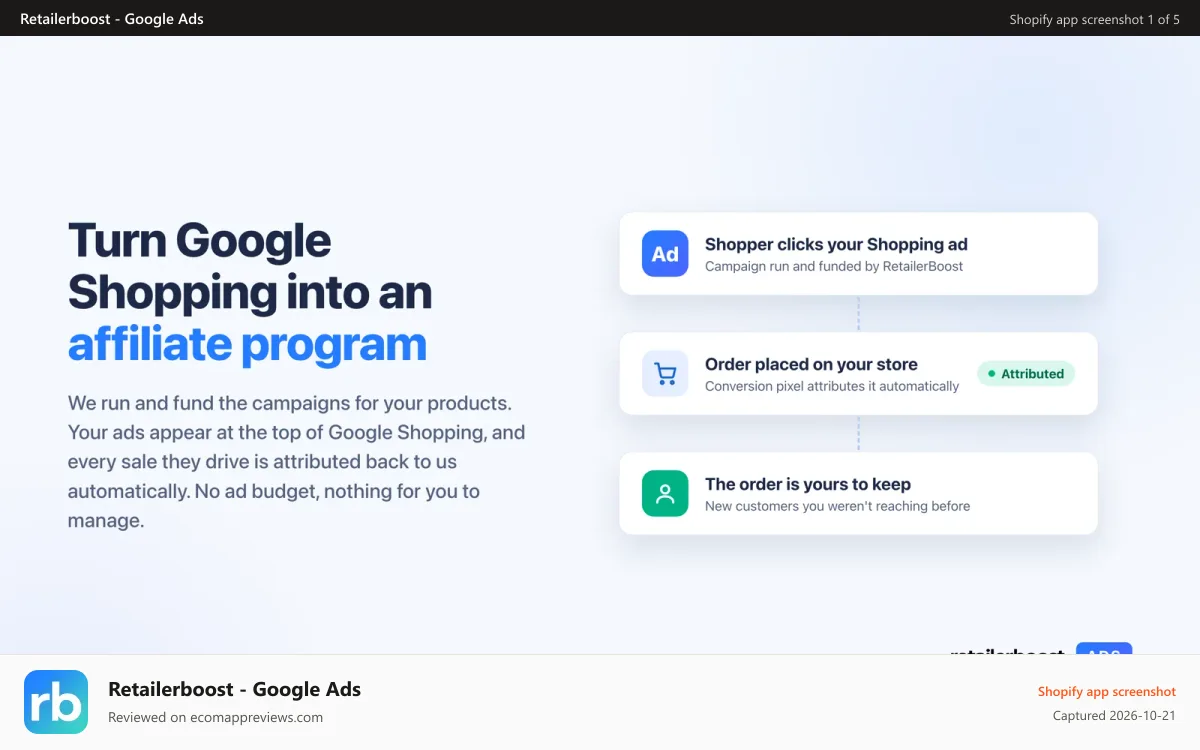
1 of 5: Ad click to attributed order to commission, in three steps 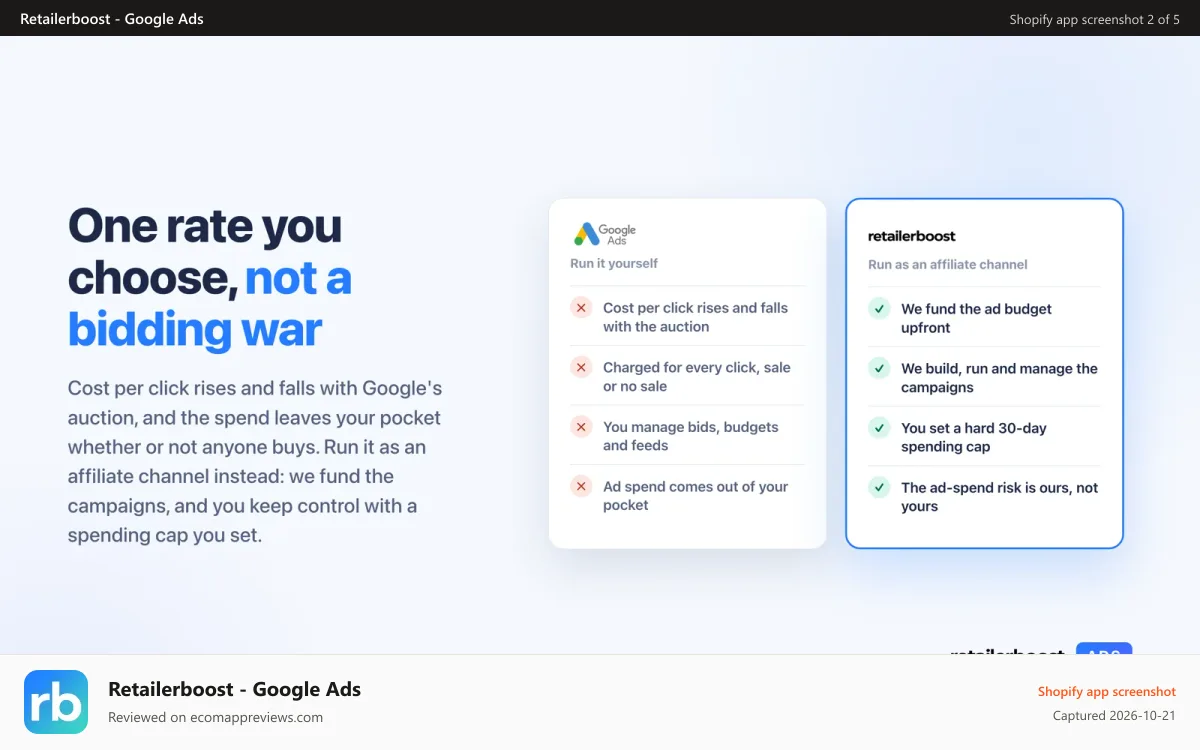
2 of 5: Google Ads CPC compared with one commission rate you set 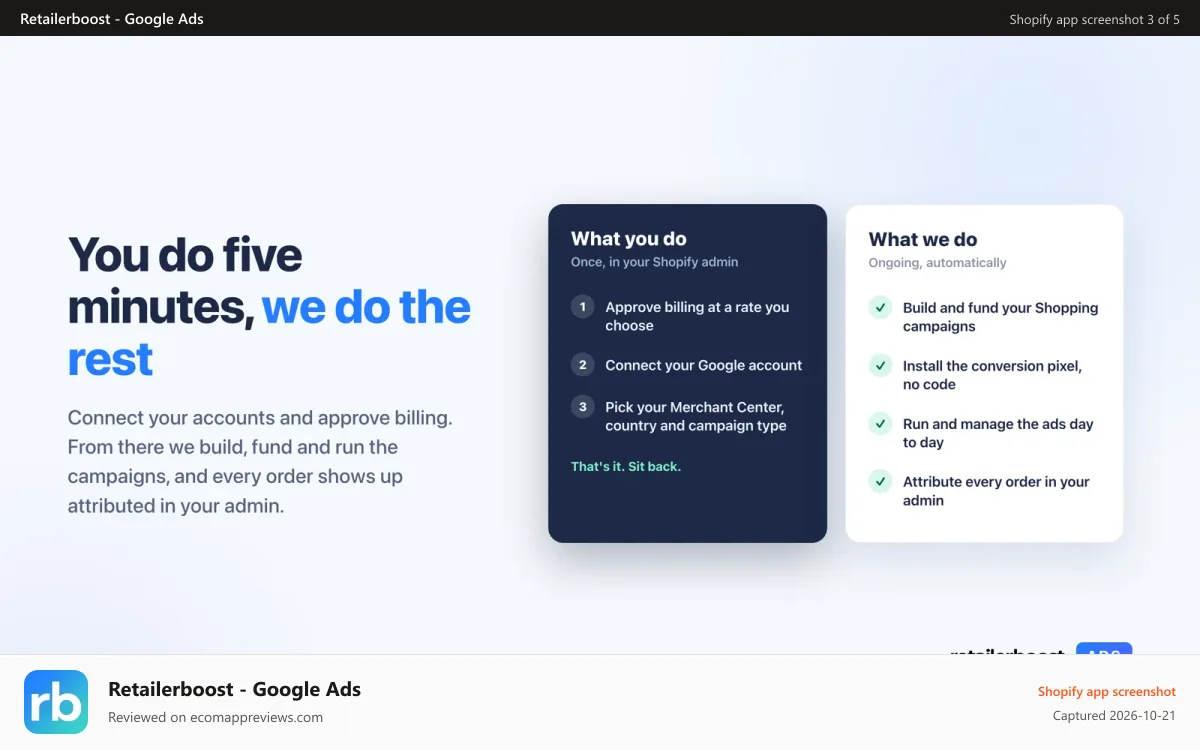
3 of 5: What you do and what we do lists, five minutes of setup 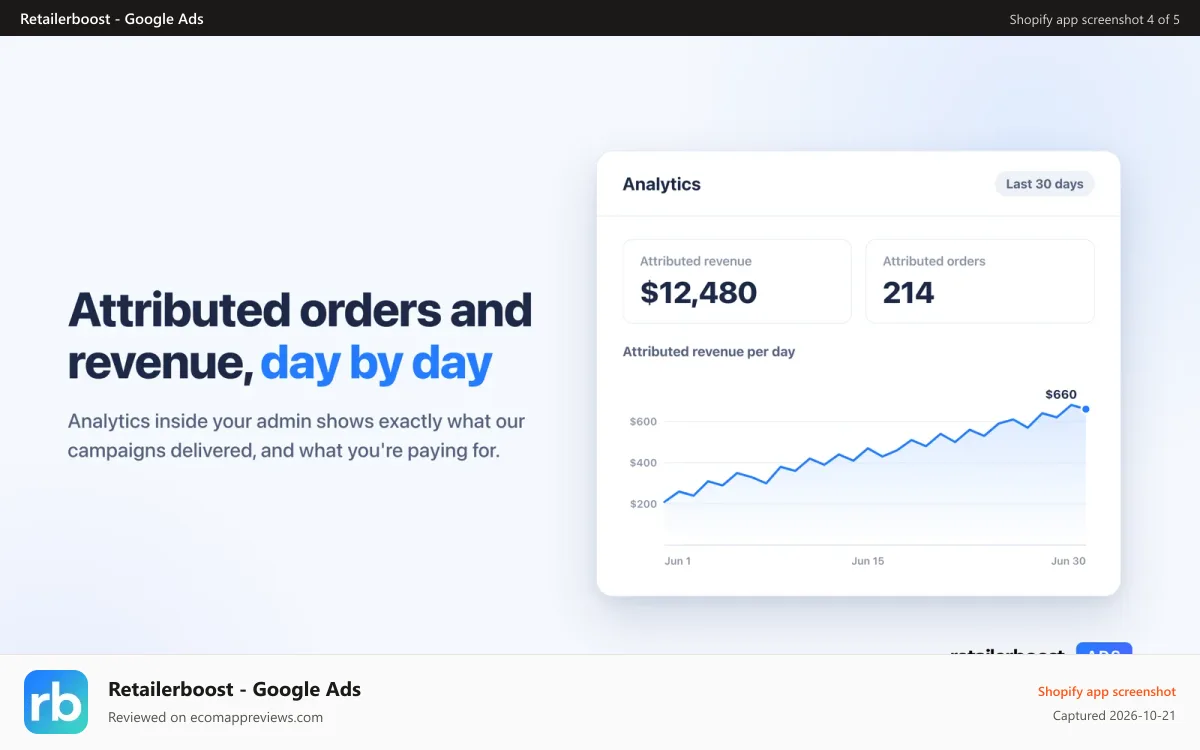
4 of 5: Analytics with attributed revenue, orders and daily chart 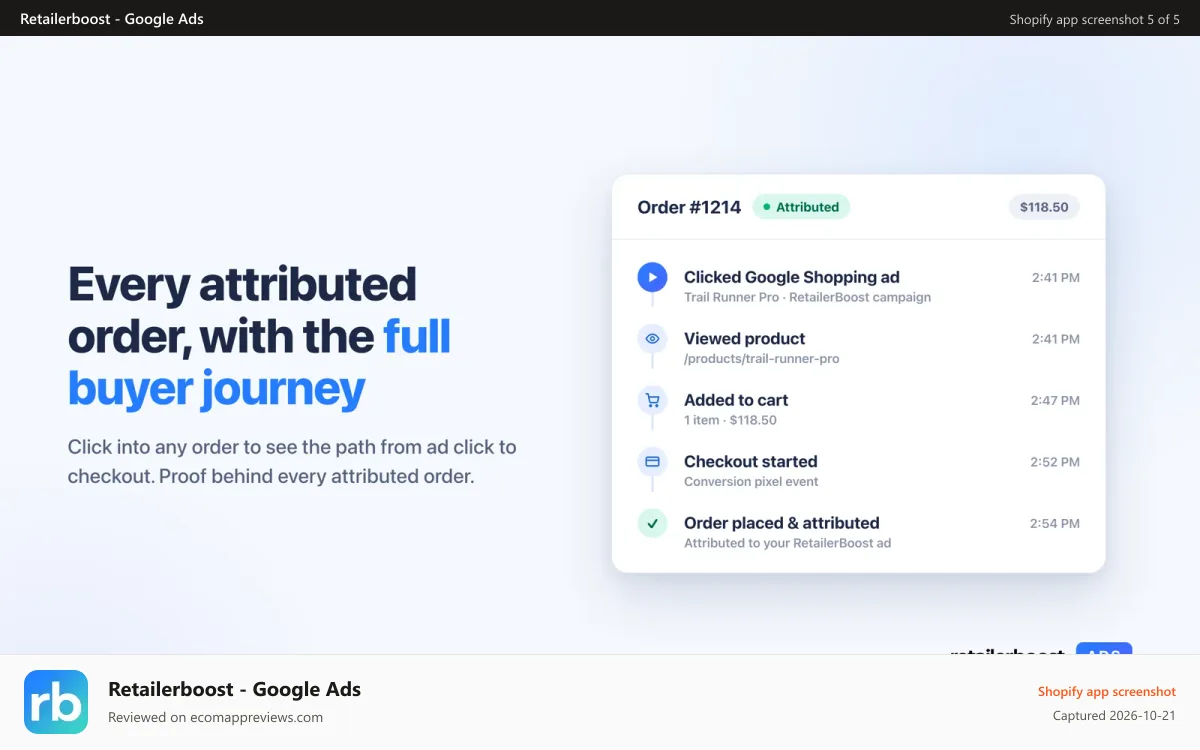
5 of 5: Buyer journey timeline from ad click to attributed order
Features Shopify lists for this app
Feature handles from the listing, grouped as Shopify groups them.
Targeting
- Audience segments
- Lookalike audiences
- Custom audiences
- Demographic
- Device
- Event-based
- Location-based
- Behavior
- Platform
- Product category
- Time-based
- AI targeting
Campaign management
- AI optimization
- Automated campaigns
- Bid optimization
- Website
- Pixel management
Performance analytics
- Performance tracking
- Ad spend
- Conversion tracking
- Dashboards
- UTM attribution
Commission options
- Automated rules
- Tracking
- Custom commission
- Product commission
Referral management
- Analytics
- Auto-tracking
- Real-time tracking
Affiliate experience
- Custom dashboards
- Custom registration
- Custom domain
Payments
- Auto-payments
Works with
Third-party integrations link to their hub when 5 or more apps name them. Shopify's own surfaces are listed separately and never counted as integrations.
- Google Ads 372 apps
- google channel
- Google Merchant Center 90 apps
- Google Shopping 90 apps
- retailerboost
Shopify surfaces: checkout, Shopify Admin
Data access
As disclosed on the listing. Never scored.
View customer data
Device and activity data
- Device and activity data: IP address, browser and operating system, browsing behavior, client ID cookie
View staff and contributor data
Store owner
- Store owner: Name, email address, phone number, physical address
View and edit store data
Customers, products, store analytics
- View customers: Browsing behavior
- View products: Products, collections
- Edit store analytics: Web pixels
Developer
30M
- Apps in the dataset:
- 1
- Address:
- Office 3 St Anns House, 11 Guildford Road, Lightwater, ENG, GU18 5RA, GB
- Website:
- www.retailerboost.com
- Support email domain:
- retailerboost.com
- English support:
- yes
- Resources:
- Privacy policy, FAQ, App Documentation
Similar apps
Shopify's own similar-apps list first, then apps in the same category that share the most feature handles.
Ainfluencer: Affiliate Program
1.0(2) · listed as similar by Shopify
TradeTracker Connect
No ratings yet · listed as similar by Shopify
Daisycon Performance Marketing
3.0(3) · listed as similar by Shopify
MAI: AI Performance Marketing
5.0(2) · shares 57% of feature handles
Amanda AI: Ad Optimization
5.0(3) · shares 46% of feature handles
Leado Marketing
No ratings yet · shares 46% of feature handles
From the Shopify listingDeveloper claims, shown verbatim and collapsed. 92 words.Show
- Turn the Google Shopping channel into an affiliate channel
- Choose your own commission rate and spending cap, billed through Shopify
- Connects directly to your existing Google Merchant Center via oAuth
- See attributed orders, revenue, and each buyer's journey in your admin
Funded Google Shopping campaigns for your store on a commission basis per order we directly generate
RetailerBoost runs Google Shopping campaigns for your store and charges commission only on the orders those campaigns drive. Setup happens in your Shopify admin: approve billing at a commission rate you choose, connect your Google account, select your Merchant Center and target country, and pick a campaign type. The conversion pixel installs automatically, with no code to paste. Analytics shows attributed orders, revenue, and each buyer's journey. Billing runs through Shopify with a cap you set.
Questions and comments
Questions people ask about Retailerboost ‑ Google Ads, answered from what this page shows. Entries marked Site editor are written by the EcomAppReviews editor. Reader comments appear after a person has read and approved them, usually within a day. E-mail addresses are never published.
Last updated Oct 20, 2026. Ratings and review counts are the values shown on each app's public listing. How the numbers are computed: methodology.
5 reviews counted on the listing. Rating and count in the structured data are the values Shopify displayed when the listing was last refreshed.