

Shopify app
EmergingH: Video Banner, Video Section
Upgrade your storefront with a video hover, banner and slider!
- Rating on Shopify
- 2.8(5)
- Reviews
- 5
- Developer
- Seetext
- Launched
- September 19, 2024
- Pricing
- $4.99/month. Free trial available.
- Languages
- English
The facts
Every value below is read from the listing or computed by the published formula. Nothing is a verdict.
Bayesian rating
4.24
category median 4.54
Reviews in the last 180 days
1
from the 3 reviews on the listing page
1 and 2 star share
20%
1 of 5
Starting price
$4.99/month
band: Under $10 · 14-day trial
Pricing plans as listed on Shopify
All charges are billed in USD. Recurring and usage-based charges are billed every 30 days.
| Plan | Price | Billed yearly | Trial | Usage fee | Included |
|---|---|---|---|---|---|
| Standard | $4.99/month | not offered | 14 days | none stated | Video Banner; Video Hover; Autoplay Video; Autoplay any video on any page.; Video Slider |
Rating distribution
5 ratings on the listing when last refreshed.
- 5 stars4(80%)
- 4 stars0(0%)
- 3 stars0(0%)
- 2 stars0(0%)
- 1 star1(20%)
Latest reviews
The 3 most recent of 3 on-page reviews, quoted to at most 25 words each. Full reviews are on the Shopify listing.
1 starMay 1, 2026ShopPromesaUnited States29 days using the app
"I only have experience using the catalog video feature of this app, so I can't say how the other features might function, but catalog videos ..."
5 starsDec 13, 2024Thrill SeekersUnited StatesAbout 2 hours using the app
"Our theme initially wasn't compatible with having a second hover video. We reached out to support and Eetu was able to help us and get ..."
5 starsNov 19, 2024Christopher Fine DiamondsUnited States12 days using the app
"This app is AMAZING!! I am OBSESSED! Initially I thought we had some technical issues uploading the videos (operator error on my part). I emailed ..."
Developer replied. Read on Shopify
Screenshots
5 of 6 listing screenshots, composed as review cards. Captions are the developer's own.

1 of 5: Video slider, video banner, video section, video hover in store 
2 of 5: Add a video slider or video banner to your storefront. 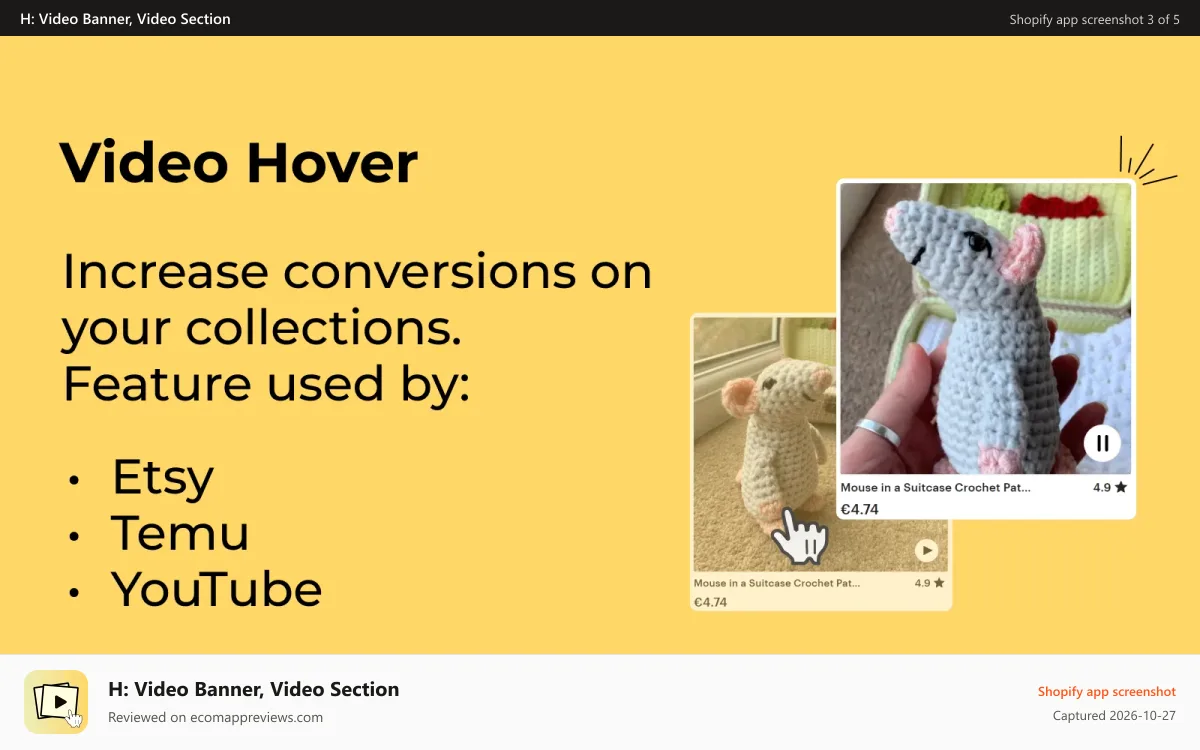
3 of 5: Add video hover to collection product images 
4 of 5: Autoplay or hover video is shown on all collections. 
5 of 5: Add an autoplay or hover video to any product in your catalog
Works with
Third-party integrations link to their hub when 5 or more apps name them. Shopify's own surfaces are listed separately and never counted as integrations.
- Collection Pages
- Custom Themes 7 apps
- Featured Collections
Shopify surfaces: Shopify Admin
Data access
As disclosed on the listing. Never scored.
Not disclosed on the listing.
Developer
Seetext
- Apps in the dataset:
- 1
- Address:
- Espoo, FI
- Website:
- not stated
- Support email domain:
- seetext.io
- English support:
- yes
- Resources:
- Privacy policy, demo store
Similar apps
Shopify's own similar-apps list first, then apps in the same category that share the most feature handles.
From the Shopify listingDeveloper claims, shown verbatim and collapsed. 96 words.Show
- Video Banner: separate video for devices, button & text, clickable banner + more
- Video Slider: 5-slides, clickable, audio, customizable content and styling
- Video Hover: Play video on touch event or hover in collections, works on mobile
- Video Loops: Product images replaced with autoplaying looping video.
- Autoplay every video in your store including video banners, video sliders etc.
Add a video slider or video banner anywhere. Add hover video or autoplay video to collections.
Put your most effective media— videos—to work by adding a video slider or video banner to your storefront or by adding video hovers/autoplay, to your product images. Video hovers (used by Temu & Etsy) are an effective way to display more video media intuitively to customers, which increases CVR. Add hover video to turn your collections to an engaging video feed. Display videos when customers are browsing your collections. You already have videos, now make them seen by every customer.
Questions and comments
Questions people ask about H: Video Banner, Video Section, answered from what this page shows. Entries marked Site editor are written by the EcomAppReviews editor. Reader comments appear after a person has read and approved them, usually within a day. E-mail addresses are never published.
Last updated Oct 21, 2026. Ratings and review counts are the values shown on each app's public listing. How the numbers are computed: methodology.
5 reviews counted on the listing. Rating and count in the structured data are the values Shopify displayed when the listing was last refreshed.