

Shopify app
LeaderBlink | Hide out of stock
Hide sold out or publish in-stock products automatically
- Rating on Shopify
- 4.7(73)
- Reviews
- 73
- Developer
- Xeon Apps
- Launched
- October 2, 2019
- Pricing
- Free plan available. Free trial available.
- Languages
- English
The facts
Every value below is read from the listing or computed by the published formula. Nothing is a verdict.
Bayesian rating
4.61
category median 4.54
Reviews in the last 180 days
9
from 73 reviews on file
1 and 2 star share
3%
2 of 73
Starting price
$3.99/month
band: Under $10 · 7-day trial
Pricing plans as listed on Shopify
All charges are billed in USD. Recurring and usage-based charges are billed every 30 days.
| Plan | Price | Billed yearly | Trial | Usage fee | Included |
|---|---|---|---|---|---|
| Free | Free | not offered | none | none stated | Manage upto 100 products; Manually run to hide & publish products |
| Basic | $3.99/month | $38/year | 7 days | none stated | Manage upto 10,000 products; Manually run to hide & publish products; Automatically hide & publish products; All features |
| Pro | $8.99/month | $86/year | 7 days | none stated | Manage upto 60,000 products; Manually run to hide & publish products; Automatically hide & publish products; All features |
| Advance | $13.99/month | $134/year | 7 days | none stated | Manage upto 500,000 products; Manually run to hide & publish products; Automatically hide & publish products; All features |
Rating distribution
73 ratings on the listing when last refreshed.
- 5 stars68(93%)
- 4 stars2(3%)
- 3 stars1(1%)
- 2 stars1(1%)
- 1 star1(1%)
Review coverage
What the site holds for this app, so every number below can be checked against its window.
- On file: 73 of 73 reviews (100% coverage)
- Window: Sep 2, 2020 to Aug 26, 2026
- Replied by the developer: 1 of 73 on file
- Last refreshed Oct 15, 2026
Latest reviews
The 10 most recent of 73 dated reviews, quoted to at most 25 words each. Full reviews are on the Shopify listing.
5 starsJul 8, 2026Green BlackTürkiye1 day using the app
"kesinlikle tavsiye, baya kurtarıcı olmuş durumda."
5 starsJun 26, 2026EcocottonTürkiyeAbout 16 hours using the app
"WONDERFUL, EASY, FAST SUPPORT"
5 starsJun 14, 2026Smael South AfricaSouth Africa3 months using the app
"Awesome"
5 starsJun 1, 2026Aqua ZoneChile12 months using the app
"buenísimo!"
5 starsMay 17, 2026MHT MULTI SERVICESCôte d’Ivoire39 minutes using the app
"good appp"
1 starApr 25, 2026Jewel RugsUnited States8 days using the app
"hiding products with this app has a negative affect on SEO, as they are no longer visible to search engines. i had hoped this was ..."
Developer replied. Read on Shopify
5 starsFeb 23, 2026USA Biker GoodsUnited StatesAbout 2 months using the app
"I love this app. Works well in hiding out of stock items so i don't have to have customers get frustrated seeing out of stock ..."
5 starsFeb 22, 2026Opensky GoodsUnited StatesAbout 1 month using the app
"It's easy to use and simple steps to follow. The set up was a breeze."
5 starsDec 4, 2025RussianFoodSUnited StatesAbout 4 hours using the app
"Excellent! This is exactly what we were looking for. The price is super too."
5 starsNov 25, 2025Hogan's Beach ShopUnited StatesAbout 21 hours using the app
"Great app that is easy to use and functions exactly as stated."
Screenshots
5 of 5 listing screenshots, composed as review cards. Captions are the developer's own.
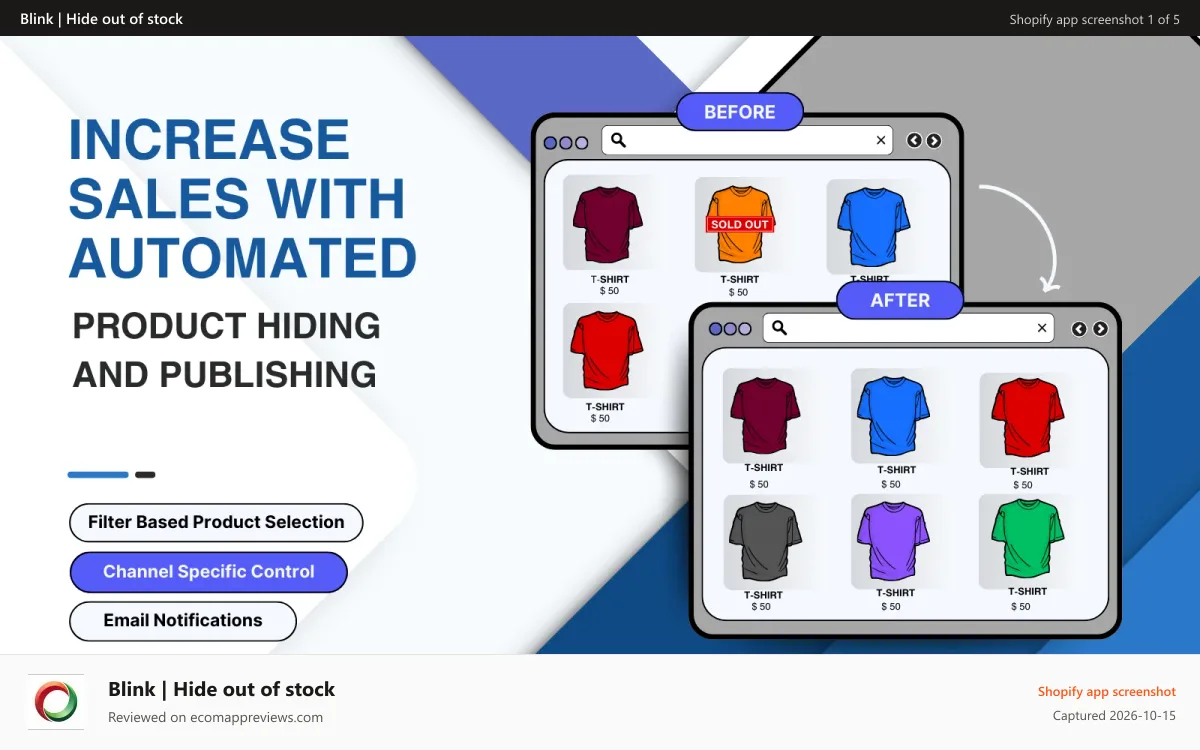
1 of 5: Auto hide unhide products 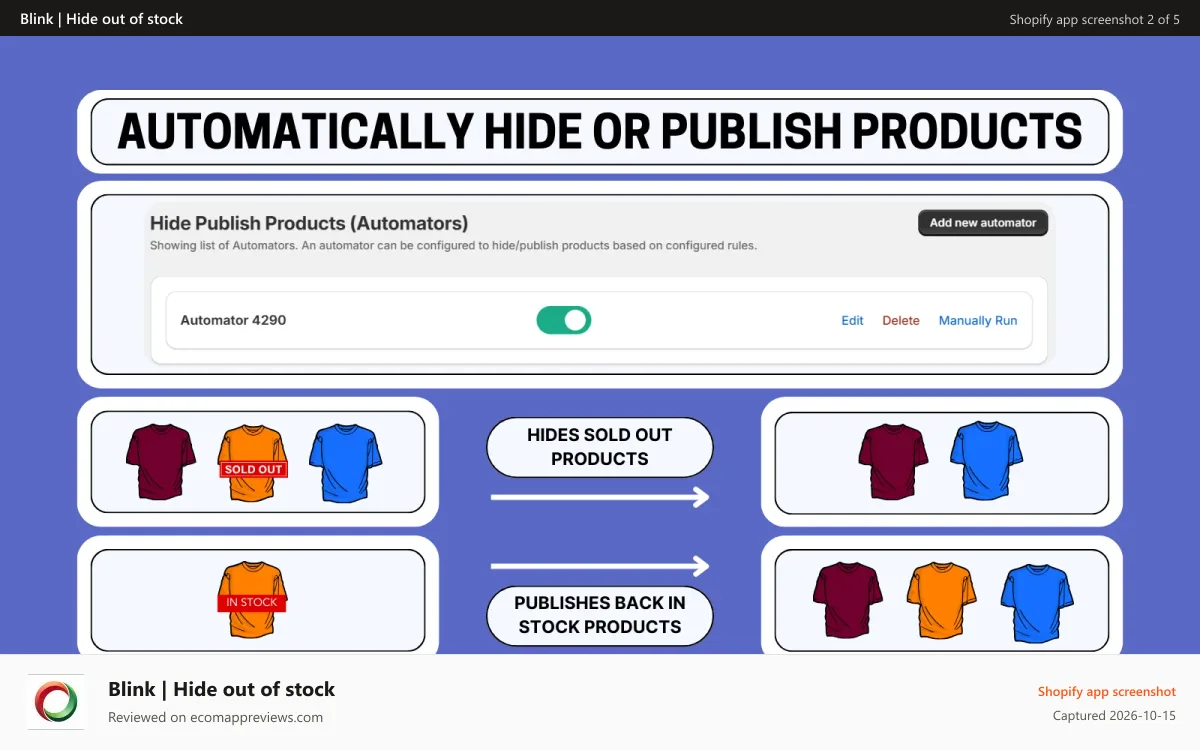
2 of 5: List of automators 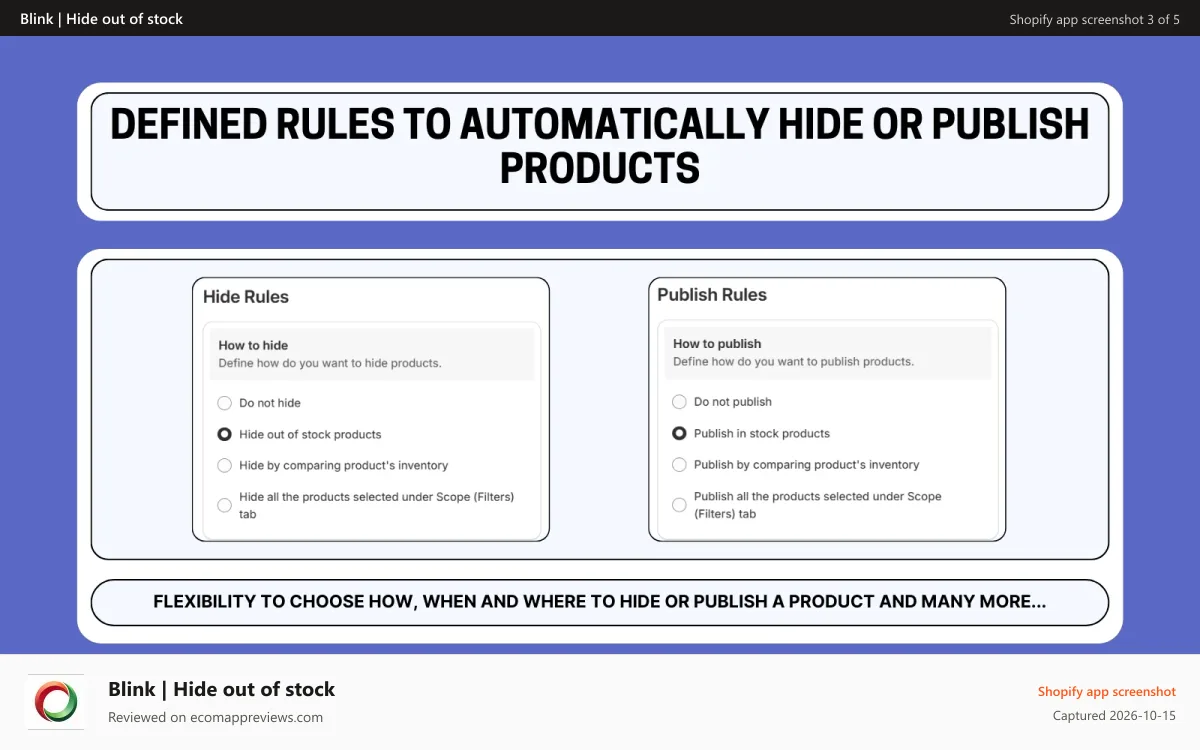
3 of 5: Rule - how to hide 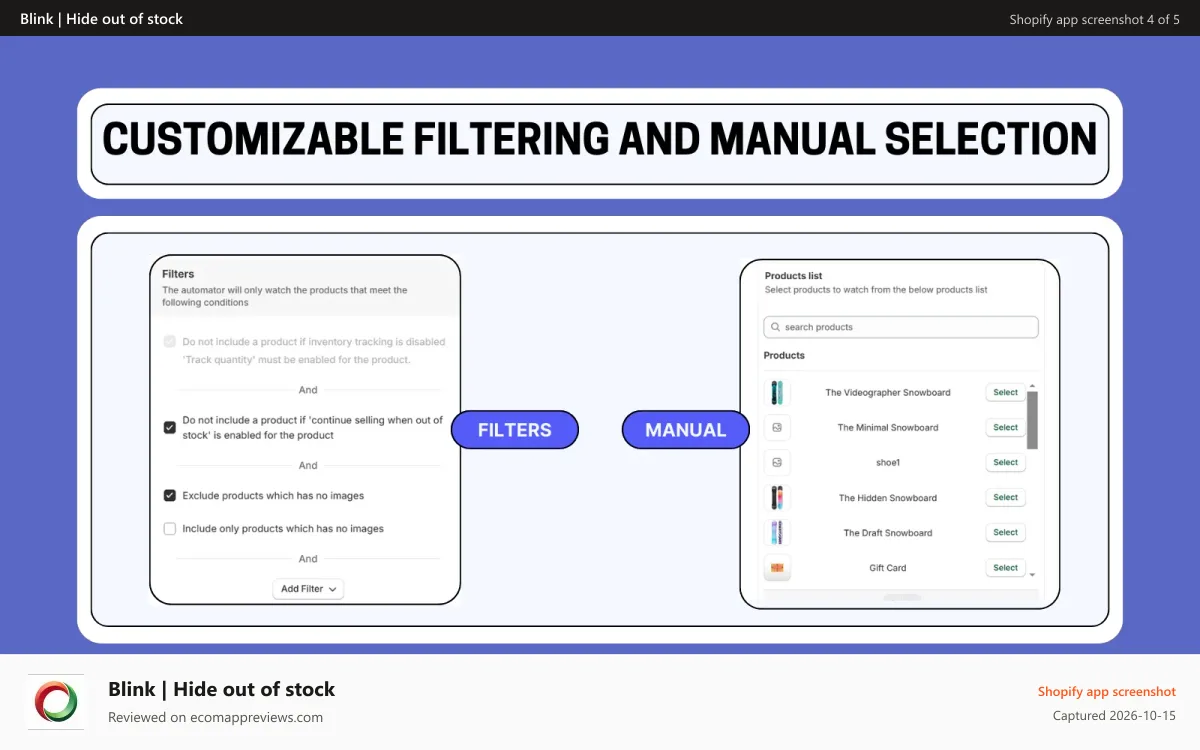
4 of 5: manually select products 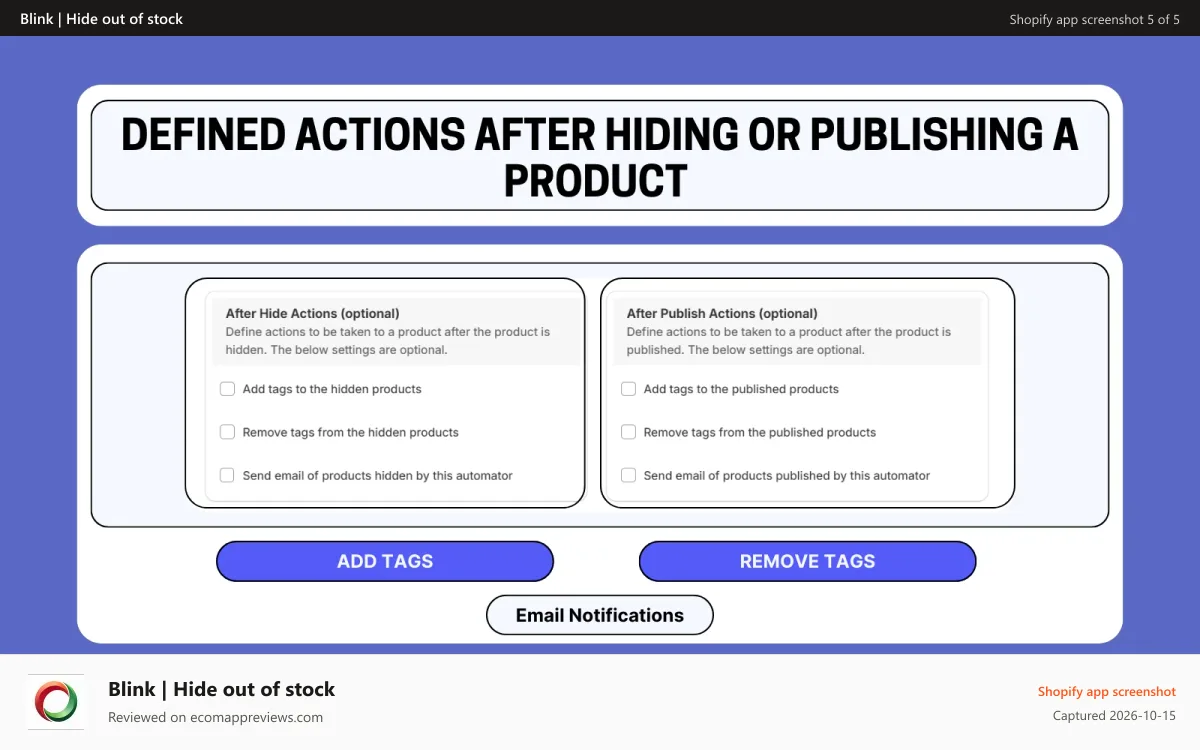
5 of 5: Post-actions
Works with
Third-party integrations link to their hub when 5 or more apps name them. Shopify's own surfaces are listed separately and never counted as integrations.
Shopify surfaces: Shopify Admin
Data access
As disclosed on the listing. Never scored.
View staff and contributor data
Store owner
- Store owner: Name, email address, phone number, physical address
View and edit store data
Products, other data
- Edit products: Inventory, product listings, products, collections
- Edit other data: Locations, publications of products on sales channels
Developer
Xeon Apps
- Apps in the dataset:
- 5
- Address:
- sf-12, Noida, UP, 201310, IN
- Website:
- not stated
- Support email domain:
- xeonapp.com
- English support:
- yes
- Resources:
- Privacy policy, FAQ, demo store
Similar apps
Shopify's own similar-apps list first, then apps in the same category that share the most feature handles.
From the Shopify listingDeveloper claims, shown verbatim and collapsed. 81 words.Show
- Automatically hide sold-out products and publish when they are back in-stock.
- Hide/Publish by Catalogs (Markets group), Sales channels, Products status
- Configurable to hide from search, collections but accessible via direct url
- Hide products with no images
Automate Hiding or Publishing products by Catalogs (Markets group), Sales channels or Status
Improve buying experience for your customers by hiding Products they can't buy!
The main challenge faced due to sold-out products is that customers may lose interest in shopping when they look at sold-out products, which may lead to a destructive impact on sales. Hence it's essential to manage sold-out products to have good sales.
The app facilitates merchants to automate the process of hiding and publishing the products.
Questions and comments
Questions people ask about Blink | Hide out of stock, answered from what this page shows. Entries marked Site editor are written by the EcomAppReviews editor. Reader comments appear after a person has read and approved them, usually within a day. E-mail addresses are never published.
Last updated Oct 14, 2026. Ratings and review counts are the values shown on each app's public listing. How the numbers are computed: methodology.
73 reviews counted on the listing. Rating and count in the structured data are the values Shopify displayed when the listing was last refreshed.